
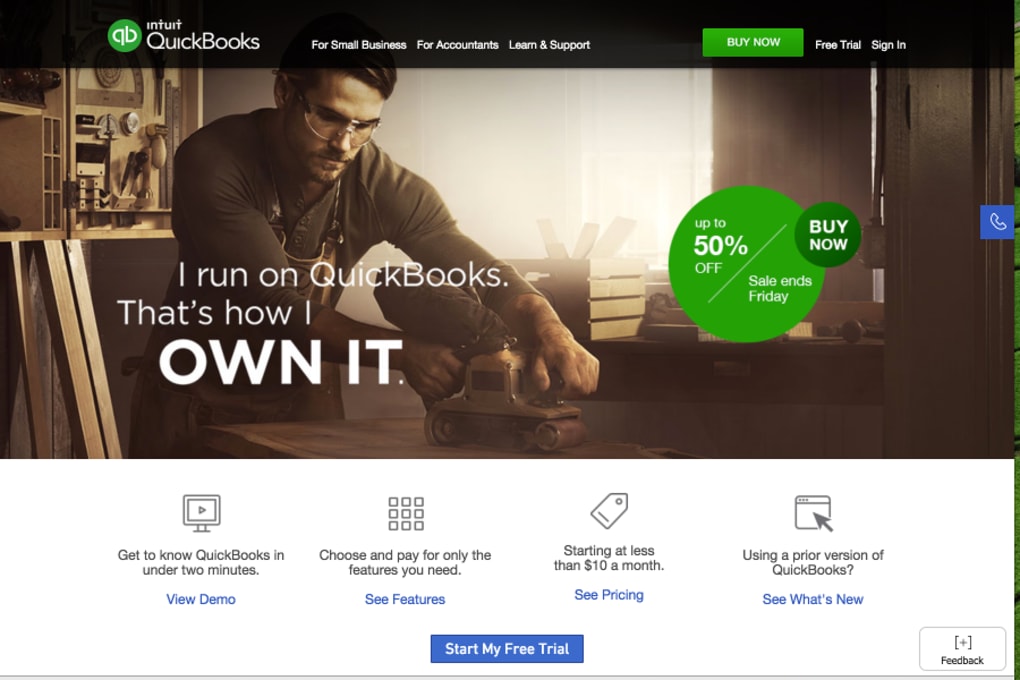

Download QuickBooks Online – Cloud Accounting, Free Trial, Secure & Easy
Overview
QuickBooks Online is a cloud‑based accounting solution built specifically for accountants, bookkeepers, and small‑business owners who need a reliable, secure, and intuitive tool to manage finances from anywhere. Designed with a clean user interface and step‑by‑step tutorials, the platform eliminates the steep learning curve that many traditional desktop packages impose. Whether you are a seasoned CPA or a freelance accountant handling multiple client portfolios, QuickBooks Online offers a unified workspace where you can track income, expenses, inventory, payroll, and tax obligations without juggling separate spreadsheets or legacy software.
One of the standout advantages of QuickBooks Online is its ability to handle an unlimited number of inventory items simultaneously. This means accountants who service retailers, manufacturers, or e‑commerce businesses can maintain real‑time stock levels, cost of goods sold, and re‑order alerts without extra add‑ons. In addition, the software integrates seamlessly with most major banks and credit‑card processors, allowing you to download and reconcile transactions automatically.
Payments can be collected electronically through QuickBooks Payments, reducing the days‑sales‑outstanding (DSO) and improving cash flow for your clients.
The platform also features robust reporting tools. Customizable profit‑and‑loss statements, balance sheets, and cash‑flow reports can be generated with a few clicks, then exported to PDF, Excel, or shared directly with stakeholders via secure links.
Security is a top priority; all data is encrypted both in transit and at rest, and multi‑factor authentication (MFA) can be enabled for added protection. For those unsure whether QuickBooks Online fits their workflow, a 30‑day free trial provides full access to all premium features, after which a modest subscription fee applies. This risk‑free approach makes it easy to evaluate the software’s fit for solo practitioners or larger accounting firms alike.
Key Features
- Unlimited Inventory Management: Track an unrestricted number of products, set reorder points, and run real‑time inventory valuation.
- Automated Bank & Credit‑Card Reconciliation: Connect to over 10,000 financial institutions, import transactions, and let the engine match them automatically.
- Online Invoicing & Payments: Create professional invoices, send them via email, and accept payments through ACH, credit cards, or Apple Pay.
- Multi‑User Collaboration: Grant role‑based access to team members, clients, or external accountants, with activity logs for full auditability.
- Customizable Financial Reports: Generate profit‑and‑loss, balance sheet, cash‑flow, and tax reports; schedule automatic delivery to stakeholders.
- Time‑Tracking & Payroll Integration: Record billable hours, link them to invoices, and run payroll directly from the same dashboard.
- Mobile Apps for iOS & Android: Capture receipts, check cash flow, and send invoices on the go, all synced instantly with the cloud.
- Third‑Party Marketplace: Extend functionality with over 600 apps, including CRM, e‑commerce, and project‑management tools.
- Secure Cloud Hosting: Data encrypted at rest and in transit, with automatic backups and compliance with SOC 2, GDPR, and CCPA.
- 30‑Day Free Trial: Full access to every premium feature, no credit card required, allowing accountants to test the platform risk‑free.
Installation & Usage Guide
Getting started with QuickBooks Online is intentionally straightforward, reflecting the product’s focus on accessibility for both tech‑savvy and novice users. Follow these steps to download, install (where applicable), and begin using the software effectively:
- Sign Up for the Free Trial: Visit the official QuickBooks website, click “Start Free Trial,” and fill in your business name, email, and preferred password. No credit‑card information is required for the initial 30‑day period.
- Verify Your Email: An activation link will be sent to your inbox. Click the link to confirm ownership and unlock your account.
- Choose Your Subscription Plan: During the trial you can explore the Simple Start, Essentials, or Plus plans. Each tier adds features such as inventory tracking, project profitability, and advanced reporting.
- Set Up Your Company File: Use the guided setup wizard to input your company’s legal name, tax ID, fiscal year, and industry type. The wizard also offers to import data from Excel, other accounting packages, or directly from your bank.
- Connect Bank & Credit‑Card Accounts: Navigate to the “Banking” tab, search for your financial institution, and follow the secure OAuth process to grant QuickBooks read‑only access. Transactions will begin syncing automatically within minutes.
- Configure Users & Permissions: In the “Gear” icon > “Manage Users,” add teammates, clients, or external accountants. Assign roles such as “Admin,” “Standard,” or “Reports Only” to control data visibility.
- Start Recording Transactions: Create invoices, enter bills, record expenses, and reconcile accounts. The platform’s “Smart Matching” engine will suggest matches between imported bank entries and your manually entered transactions.
- Leverage Mobile Apps: Download the QuickBooks Online app from the Apple App Store or Google Play Store. Log in with the same credentials to capture receipts, send invoices, and view real‑time cash flow from your smartphone or tablet.
- Generate Reports: Use the “Reports” tab to run standard or custom reports. Schedule recurring reports to be emailed automatically to stakeholders every month or quarter.
- Upgrade or Cancel: At the end of the trial, you’ll receive a reminder email. Upgrade to a paid plan directly from the dashboard, or cancel without penalty if the software does not meet your expectations.
QuickBooks Online runs entirely in the browser, so there is no traditional “installation” on desktop computers. However, the system requirements for an optimal experience are modest:
- Operating System: Windows 10 or later, macOS 10.13 (High Sierra) or later, iOS 13+, Android 8.0+
- Browser: Latest versions of Google Chrome, Mozilla Firefox, Microsoft Edge, or Safari
- Internet Connection: Minimum 3 Mbps broadband for smooth data sync; higher speeds recommended for large file uploads
Pros & Cons, Frequently Asked Questions
Pros
- Unlimited inventory handling eliminates the need for separate stock‑management tools.
- Full cloud access means you can work from any device, anywhere, without VPNs.
- Automated bank feeds and smart transaction matching save hours of manual entry each month.
- Extensive third‑party app ecosystem allows you to tailor the solution to niche industries.
- Robust security with encryption, MFA, and regular backups ensures data integrity.
Cons
- Monthly subscription can become costly for firms with many users or high‑volume clients.
- Advanced features such as job costing or custom workflow automation are only available in higher‑tier plans.
- Internet‑only access means you’re dependent on a stable connection; offline mode is limited.
- Some users report a learning curve when migrating from desktop QuickBooks versions.
- Customer support response times can vary during peak tax‑season periods.
Frequently Asked Questions
Can I use QuickBooks Online on a Mac?
Yes. QuickBooks Online runs in any modern web browser, so Mac users can access the full feature set via Safari, Chrome, or Firefox without needing a separate Mac‑specific version.
Is there a way to work offline?
QuickBooks Online offers limited offline capabilities through its mobile app; you can view recent invoices and capture receipts, but full editing and syncing require an internet connection.
How does the 30‑day free trial differ from the paid plans?
During the trial you receive unrestricted access to all premium features—including inventory, payroll, and third‑party integrations—so you can evaluate the platform in a real‑world environment. After 30 days, you must select a subscription tier to retain access.
Can I import data from QuickBooks Desktop?
Yes. QuickBooks Online provides a built‑in migration tool that imports lists, transactions, and history from Desktop versions (Pro, Premier, Enterprise) via a .QBW file.
What security measures protect my financial data?
All data is encrypted using TLS 1.2 in transit and AES‑256 at rest. Multi‑factor authentication can be enabled, and Intuit maintains SOC 2 Type II compliance, GDPR, and CCPA adherence.
QuickBooks Online delivers a compelling blend of flexibility, automation, and cloud accessibility that makes it an excellent choice for accountants of any size. The unlimited inventory feature and powerful bank‑reconciliation engine stand out as real productivity boosters. While the subscription cost may be a consideration for very small practices, the time saved on manual data entry and the ability to serve multiple clients from a single dashboard more than justify the investment. Overall, it earns a solid 4.5‑star rating for its feature depth, ease of use, and reliable support ecosystem.
Conclusion & Call to Action
If you’re searching for a secure, cloud‑based accounting platform that scales from solo practitioners to full‑service firms, QuickBooks Online checks all the boxes. Its intuitive interface, comprehensive reporting, and seamless integration with banks and third‑party apps create a frictionless workflow that lets accountants focus on analysis rather than data entry. The 30‑day free trial offers a risk‑free opportunity to explore every premium feature before committing to a subscription.
Ready to streamline your bookkeeping, improve cash‑flow visibility, and deliver professional financial statements in minutes? Download QuickBooks Online today, start your free trial, and experience the future of accounting—secure, mobile, and always up‑to‑date.



.png)



